For anyone / One person, one computer, same product
You do not have to be a company to use it
You can be one person with two computers. You can be helping a parent, keeping a home machine within reach or working on a project of your own. You do not need a company name or a job title in IT to use Remote Login.
Remote Login
What "anyone" actually means
Most of this site talks about technicians and organizations because those are the people who often buy remote support software. Those words describe how the account is arranged. They are not an entrance requirement. If you are the only person connecting, you are the person the technician seat is for.
An organization keeps your computers and access records together. It can be your own small collection of devices; it does not mean you must incorporate a business. You decide which machines belong there and who is authorized to reach them.
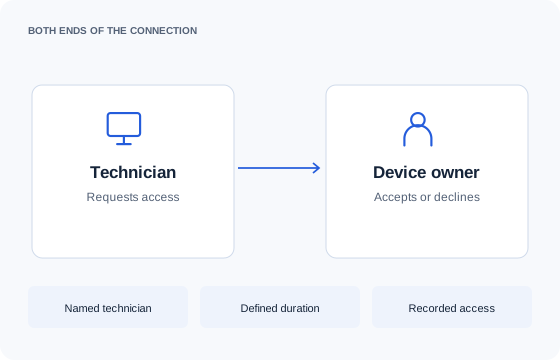
You might use the same desktop application from another room or help a relative who wants you to see a problem. Start with that actual task, and test it on the computers involved. Someone else’s device still requires their permission, even when you know them well.
If you run a shop, practice or other small business, the guide for businesses without an IT department covers that situation in more detail.
Remote Login
The same product, not a cut-down version
There is no feature-gated consumer tier, no nag screens and no accusation that you are secretly a business. Personal and commercial use follow the same published plan rules. You can start a paid project without an algorithm deciding that your ordinary session has become suspicious.
The plan you choose still has limits. Starter includes one organization and 100 devices per seat. Branding and multiple client organizations belong to higher plans. Those are published entitlements that apply to everyone buying the plan, not features removed because you are an individual.
You get the same access controls and session records. Attended help and authorized unattended access are different arrangements: agree which one you need, keep your account secure and remove permissions when a helper no longer needs them.
The platform limits are the same too. Paying for a seat does not enable iPhone remote input or turn an unverified Mac configuration into a proven one. Read the capability page and test screen, keyboard and pointer separately before depending on a connection.
Remote Login
What it costs for one person
One Starter seat costs $25 per month in USD. It includes up to 100 devices in one organization. If you have only one or two computers, that leaves a lot of unused capacity. We do not have a cheaper personal edition, and this is not a free product.
There is no minimum term and no metered per-device overage. A second person who needs a technician seat changes the calculation; adding a second computer within your allowance does not. The price follows the people providing access, with the device allowance stated alongside it.
That cost can make sense when the access controls, records and support workflow are useful to you. It can also be more than you need. Having permission to buy the product is not a reason to spend $25 every month if a simpler tool solves the problem.
See the plans and billing terms before deciding. You can describe your setup in ordinary language; one person and one computer is a complete answer.
Remote Login
Where it is genuinely not the right tool
If you want to reach one home PC occasionally and pay nothing, Chrome Remote Desktop is free and fine. Set it up, try your actual task and see whether it meets your needs. We are not going to pretend you need a paid support platform for every connection.
Remote Login also is not the right answer if your essential task is controlling an iPhone, automatically patching a household of computers or finding a laptop that has gone missing. Those are different jobs. Our platform page describes the access capabilities and the work that has not been built.
If you arrived here because a free session was interrupted, read what to do when TeamViewer flags personal use first. You may be able to resolve the problem without buying anything.
Choose a paid tool when its particular workflow is worth the ongoing cost to you. You are welcome here either way; the useful outcome is a connection that does what you need at a price you meant to pay.
Get started
See how it fits your team.
Tell us how many technicians you have and which platforms you support. We will help you check the fit.